
Download PETAL APK – Health & Fitness, Beauty App, Personal Medical Devices, Bluetooth Control, Treatment Tracking
Overview
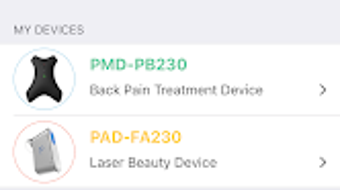
PETAL is a lifestyle-focused Android application developed by Ptech Co. Ltd., designed to enhance personal health and beauty routines through digital integration with PTECH’s range of personal beauty and medical devices. The app serves as a central control hub, enabling users to manage and monitor treatments via Bluetooth wireless technology. It is tailored for individuals seeking a more structured, data-driven approach to skincare, wellness, and medical device usage. By connecting to compatible hardware, PETAL allows users to remotely initiate, pause, or schedule treatments, ensuring greater convenience and consistency in daily routines. The app also supports the storage and organization of treatment records, helping users track their progress over time and make informed decisions about their health and beauty regimens. Real-world use cases include daily skincare routines, post-treatment monitoring, and long-term wellness planning. The inclusion of a facial photo capture and management function allows users to visually document changes, making it easier to assess treatment effectiveness. While the developer did not provide additional details on user demographics or specific device models, the app’s functionality suggests it is suitable for consumers interested in technology-driven personal care solutions. It is particularly beneficial for users who value routine consistency, data tracking, and seamless device integration.Key Features & Capabilities
- Remote Device Control: Users can start, stop, or adjust treatment settings directly from their mobile device, eliminating the need for manual operation of connected hardware. This feature is ideal for users who prefer hands-free or automated treatment management.
- Treatment Record Management: The app stores detailed logs of each session, including duration, settings used, and timestamps. This data can be reviewed to assess progress and identify patterns in treatment outcomes.
- Smart Treatment Time Alarms: PETAL includes an alarm function that notifies users when a scheduled treatment is due, helping maintain consistency, especially for those with busy or unpredictable schedules.
- Facial Photo Capture & Management: Users can take and save photos of their face at various stages of treatment. These images serve as visual benchmarks to monitor changes in skin condition or appearance over time.
- Health and Beauty Information Hub: The app delivers educational content on skincare, wellness, and device usage, empowering users with knowledge to make informed decisions about their routines.
User Interface, Workflow & Performance
The user interface of PETAL appears to be designed with usability in mind, featuring intuitive navigation and clear visual cues for managing treatments and viewing records. The layout likely follows a modular structure, with dedicated sections for device control, treatment logs, photo gallery, and informational content. Users can expect a streamlined workflow: connect the device via Bluetooth, select a treatment mode, set a timer, and receive reminders when needed. The app’s performance is expected to be stable under normal usage conditions, though exact resource consumption details were not specified. The developer did not provide information on CPU or RAM usage, so users should monitor performance based on their device’s capabilities. General software behavior suggests that the app maintains responsiveness during active sessions, particularly when managing real-time device communication. Stability may vary depending on the Bluetooth connection quality and the compatibility of the connected hardware. The app does not appear to require constant background activity, which helps preserve battery life. However, users should ensure their device’s Bluetooth is enabled and properly paired to maintain uninterrupted functionality.Compatibility & System Requirements
PETAL is designed for Android operating systems and is distributed as an APK file, indicating it is intended for installation on Android devices. The app’s compatibility with specific Android versions was not provided, so users should verify whether their device meets the minimum system requirements. The installation size is not specified, but typical lifestyle and health apps of this nature range from 50 MB to 200 MB. Hardware requirements, such as Bluetooth 4.0 or higher, are likely necessary for proper device pairing, though this was not confirmed by the developer. The app is not available through official app stores, suggesting it is distributed directly via APK. This may require users to enable “Unknown Sources” in their device settings for installation. The developer did not specify whether the app supports tablets or only smartphones. Users should test the app on their device to confirm functionality and compatibility.Pros and Cons
Pros
- Seamless Bluetooth integration with PTECH’s personal devices
- Remote control of treatments enhances convenience and accessibility
- Comprehensive treatment record tracking for long-term progress monitoring
- Visual progress tracking through facial photo management
- Reminder alarms help maintain consistent treatment schedules
- Educational content supports informed health and beauty decisions
Cons
- APK distribution limits access to official app store security checks
- No official information on supported Android versions or minimum system requirements
- Face photo feature may raise privacy concerns if data is stored locally or remotely
- Bluetooth dependency may affect performance in areas with interference
- Limited information on data encryption or user privacy policies







